One schedule and one record for your anesthesia group
Your providers spend most days in other people's offices, and each office books its own way. Vitalis puts the whole group on one schedule and one record you can see and export. Your offices use it free.
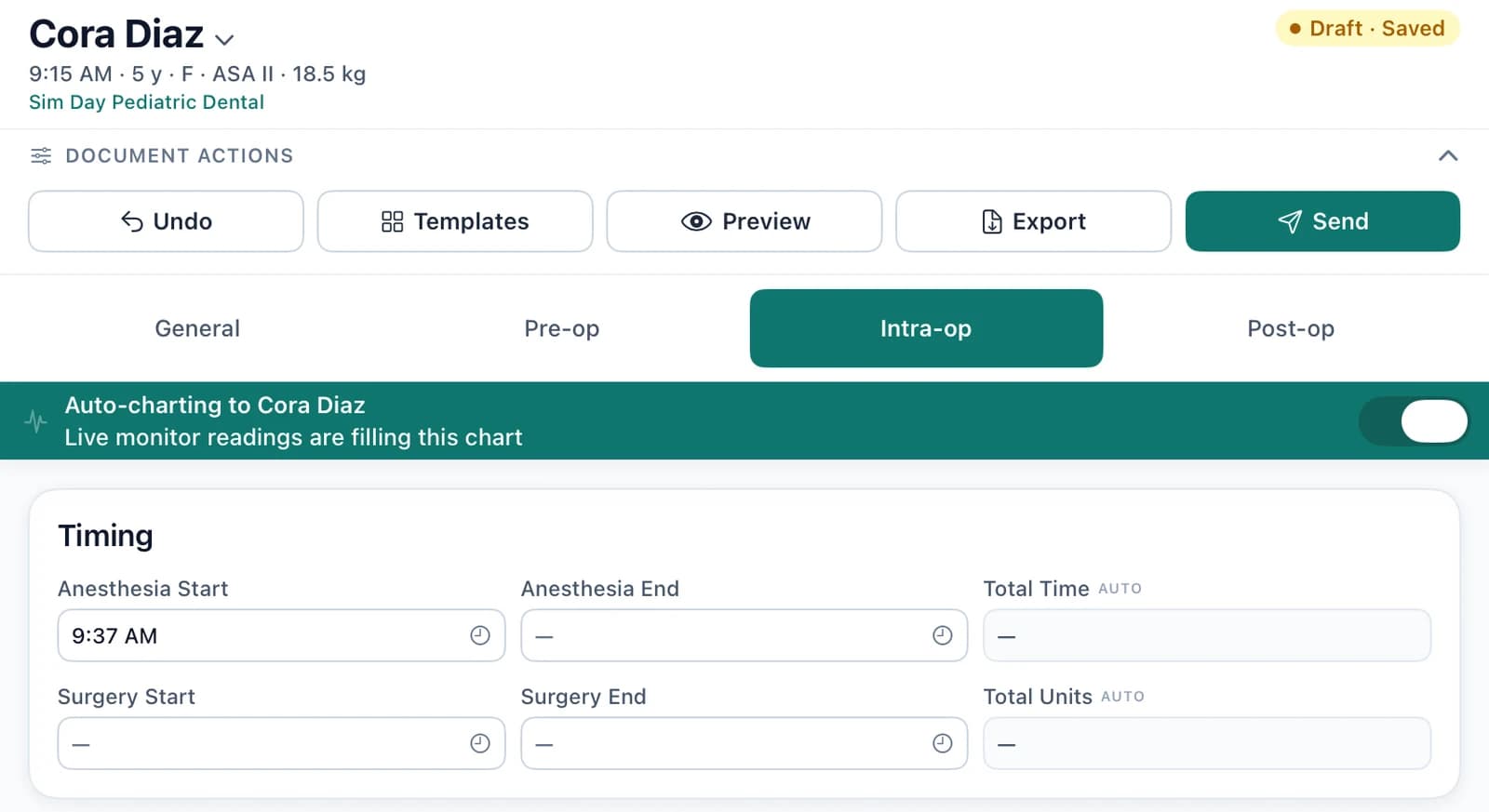
The monitor fills in the chart
Each provider connects the monitor once. Readings land in 5-minute columns while they log drugs on the same grid, in any office.
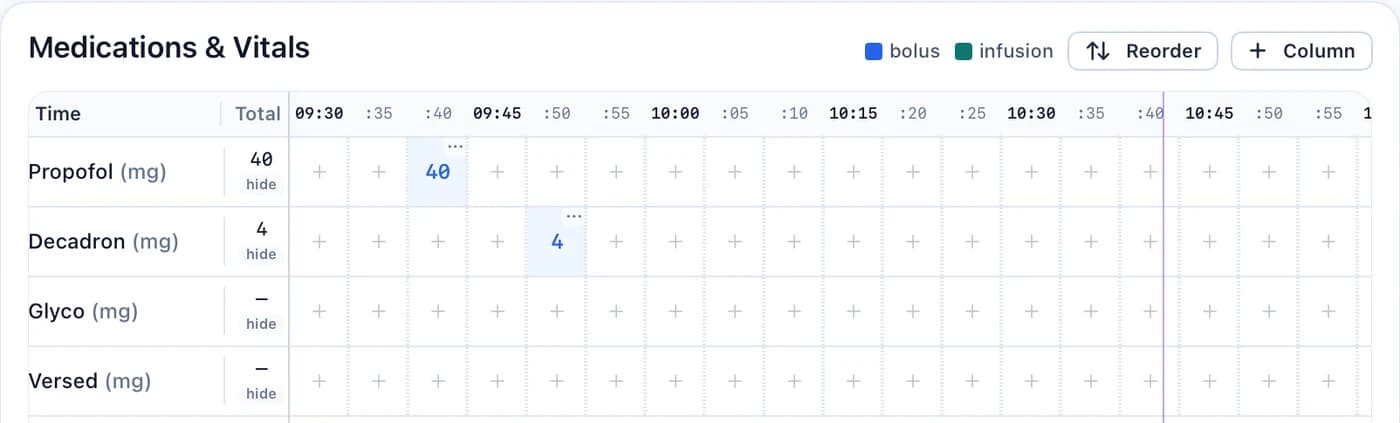
Follows the open chart
When a provider switches patients, the readings follow the chart they have open.
Gaps are covered
If the monitor drops, the provider's default vitals fill the gap. They can check Don't chart to leave a value blank instead.
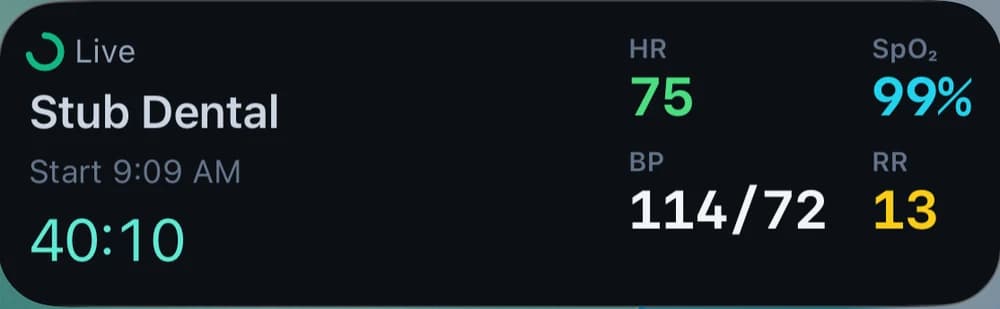
On the lock screen
HR, SpO₂, BP and RR stay on the provider's iPhone lock screen for the whole case, with the elapsed time.
What changes for the group
Screens from the app, with demo patients, providers and offices.
- 01
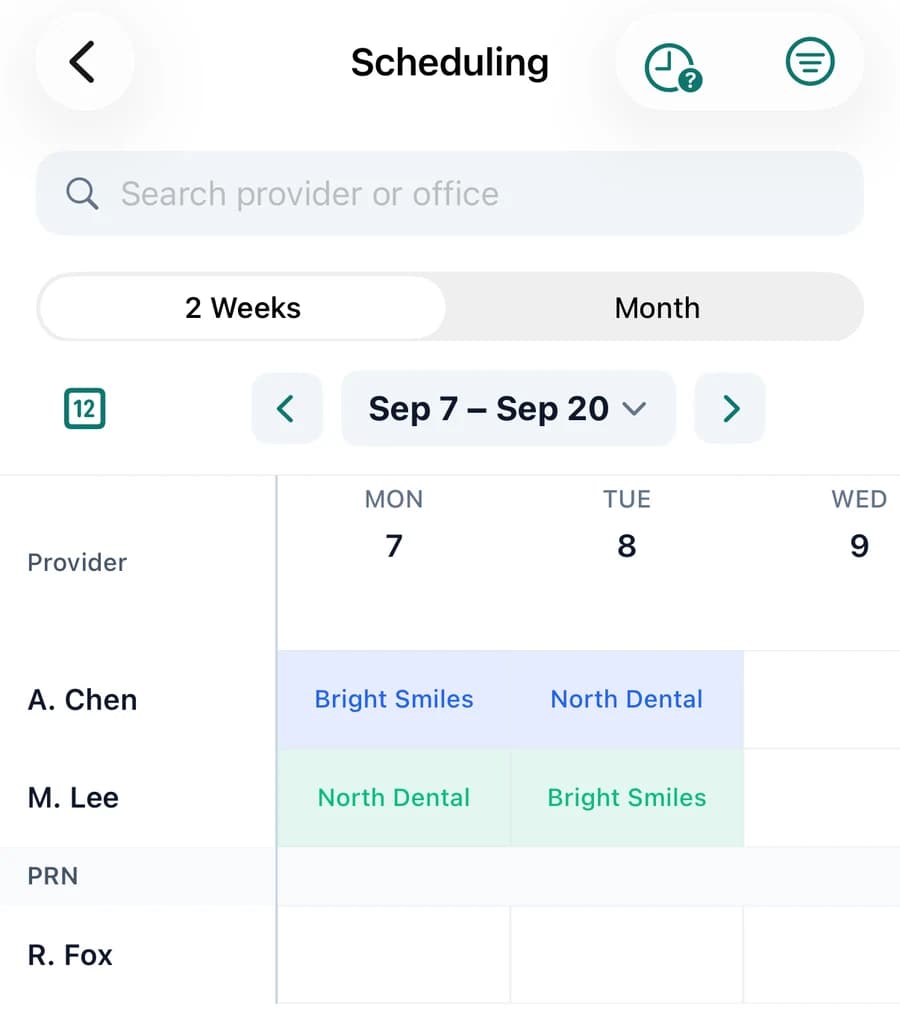
One schedule for every provider
See which office each provider is in for the next two weeks, on one schedule the whole group works from. Time off and PRN coverage are handled there too.
- 02
Intake done before the visit, at every office
Patients finish intake on their phone at home before the visit. Every office does it the same way, so your providers don't start the day on a clipboard.
What the patient fills in
On their phone, before the visit
- Medical history Done at home
- Conditions Carried to the next visit
- Medications and allergies Verified at pre-op
- Language English or Spanish
- 03
Charts that fill themselves in
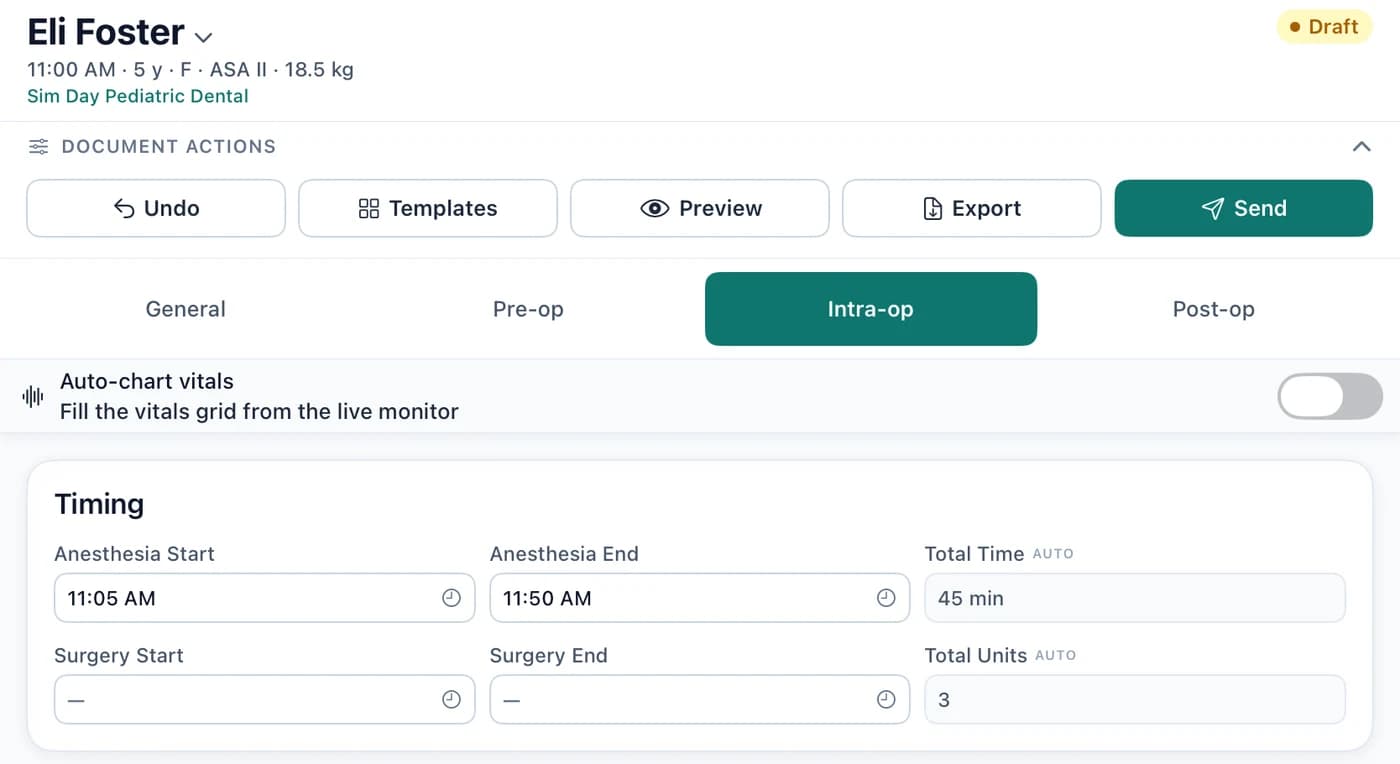
Set anesthesia start and the monitor charts to that patient. Set the end, and total time and units are worked out for you.
- 04
Every chart closed out and kept in one place
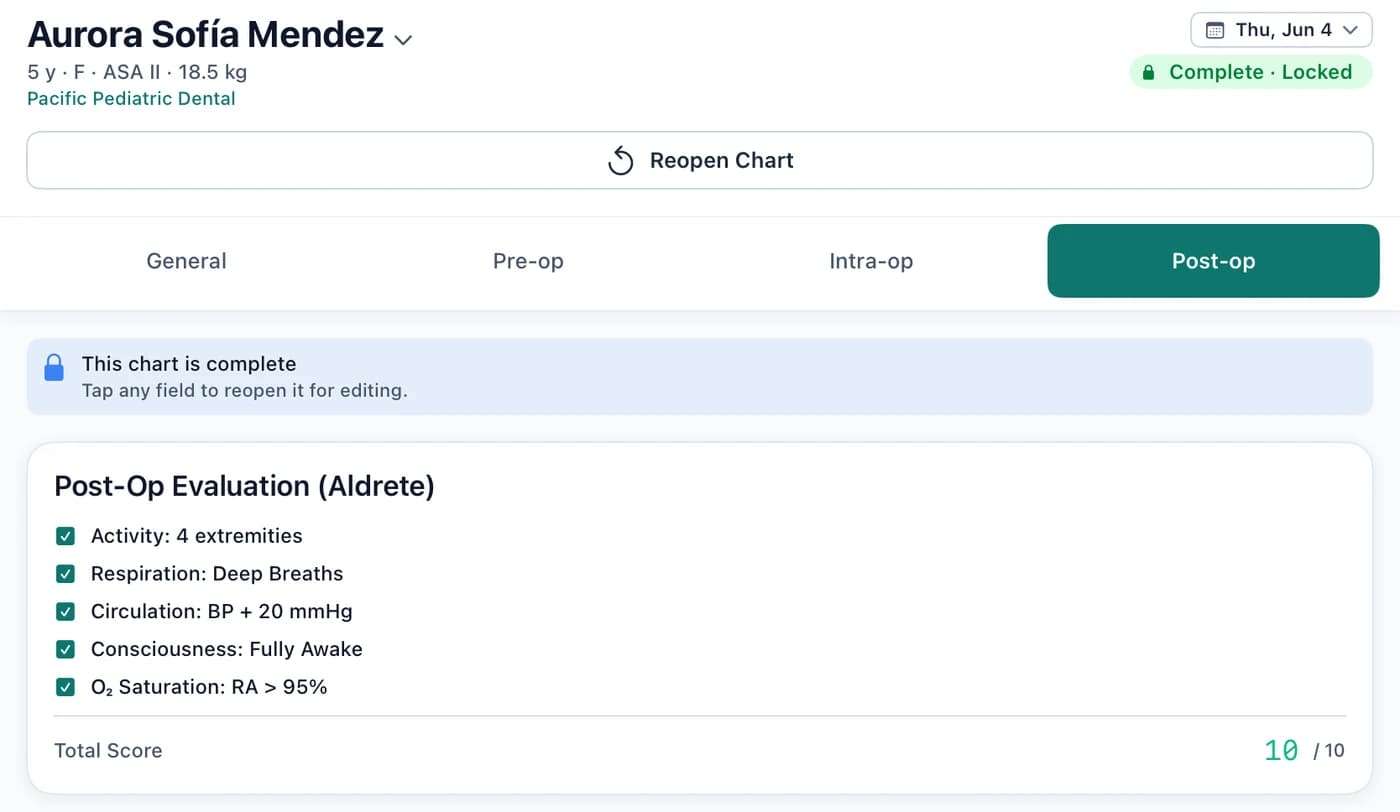
When a provider finishes, the chart is marked complete and locked. Charts live in the group's account, wherever the case was done. Export any chart as a PDF, or download a provider's whole day in one file.
- 05
The whole group in one place
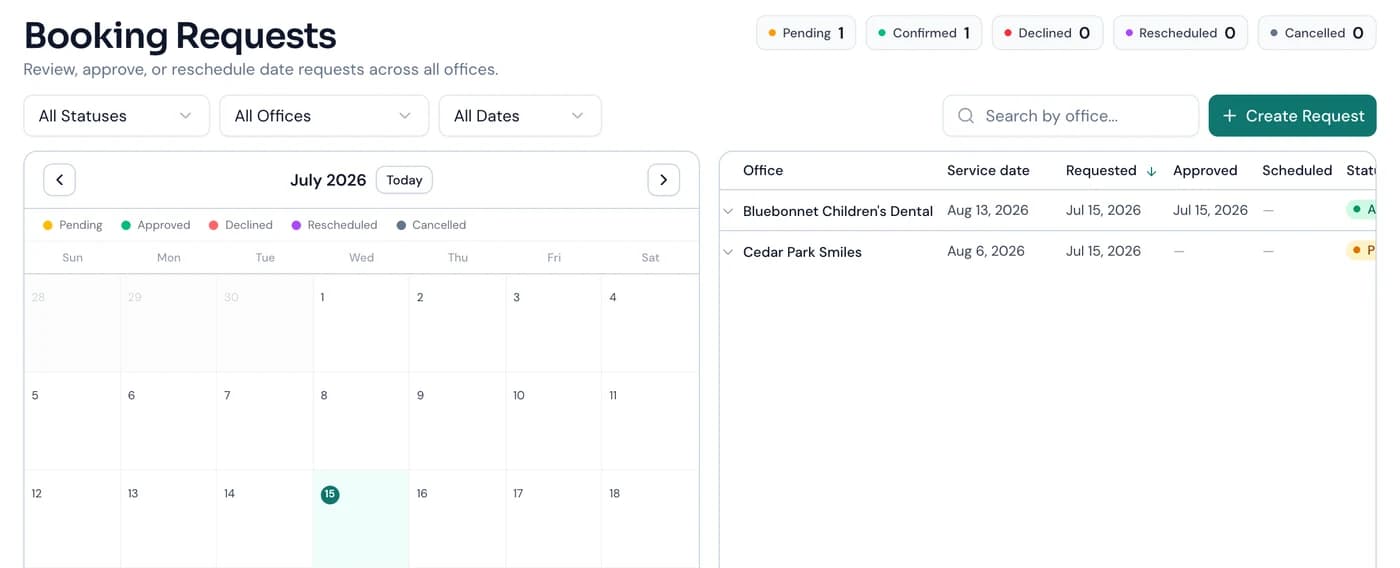
Every office's booking requests land in one list. Approve or reschedule them there, and see what's still pending. Every chart edit, reschedule and status change shows who made it.
Free for your offices
Your offices use Vitalis free, and we handle their setup.
Your group's name on it
Each office gets a portal with your group's name on it, at no cost to them.
Booking without phone tag
Their schedulers request dates on your schedule themselves.
Intake status
They see where each patient is with intake.
How patient data is handled
Your providers, schedulers and office staff each sign in as themselves and see what their role needs. Vitalis is HIPAA-aligned, with a BAA.
Roles
Assistants chart and log drugs. Office staff schedule and send intake. Owners see the whole group and manage the team.
Audit trail
Every chart edit and reschedule is tied to the person who made it.
Access you can pull
When a temp finishes their week, revoke their access from your phone. Their sessions end right away.
Book a demo for your group
Tell us about your group and we'll set up a time.
- Twenty minutes in the app, from an office booking a date to a finished chart
- Pilots are free